

Staring at a Web Dashboard: Real-World Risks and Finding Out Are Free Online Tools Safe
I still remember the uneasy feeling I got a few months ago when I uploaded a massive PDF document containing some semi-private project details into a random file-sharing website. I needed to extract three specific pages quickly for a remote team update, and my local desktop software was acting up.
The website processed the file in seconds, delivered a clean download link, and everything seemed completely fine on the surface. But about an hour later, as I sat drinking a cup of tea, a worrying thought hit me: where did that file actually go, and who owns the server that just parsed my data?
It was a sharp wake-up call that made me realize how casually we throw our personal text drafts, images, and financial stats into unknown browser boxes just because they are convenient and cost nothing.
The reality of browsing the internet right now is that we rely on web-based utilities for almost everything, from shrinking heavy videos to generating security keys. Most everyday web users assume that if a website has a clean layout and a little green padlock icon in the address bar, it is completely secure.
But that padlock only means the data is encrypted while traveling from your device to the server; it tells you absolutely nothing about what the server owners do with your files once they get them. That tiny file-extraction task forced me to audit my internet habits and look deeply into the backend security setups of open-access software.
If you are running calculations, managing client invoices, or modifying your daily work graphics, understanding data boundaries is vital. Finding out are free online tools safe does not mean you have to become a paranoid cybersecurity professor or stop using the internet altogether.
You just need to know how to spot the hidden traps that separate a clean, local-processing utility from a data-harvesting trap designed to sell your habits to advertisers. Let us break down exactly how these browser utilities operate behind the scenes and how you can protect your digital workspace from silent leaks.
To understand the core administrative frameworks behind server-side script security and global data protection rules, you can explore the research papers inside the Wikipedia Information Privacy Overview.
The Quick Verdict: Are Free Online Tools Safe for Everyday Use?
If you are looking for a direct answer, the short truth is that free online tools are safe only when they process your data locally inside your own browser window without saving it on an external network. Reputable utility hubs make their money by displaying standard banner ads, meaning they have zero interest in collecting or tracking your personal files.
However, sketchy and unverified websites often use free services as a front to log user entries, harvest email databases, or slip tracking malware into your system downloads. Always check for clear privacy policies and local processing tags before dropping any sensitive file into an online form box.
The Secret Processing Matrix Behind Your Active Browser Tabs
When you paste a paragraph of text into a website utility, that data is handled in one of two ways: server-side processing or client-side execution. Server-side processing means your file travels completely off your device, uploads onto an external cloud server somewhere across the globe, and gets modified inside a distant database.
If that third-party server suffers an unexpected data breach, your uploaded documents could end up sitting inside a public dark web archive. This is why uploading highly confidential business ledgers or personal identification files into unverified server-side networks is a massive risk.
The second method—client-side execution—is an absolute lifesaver for personal data privacy. This architecture uses lightweight JavaScript programming to run all the structural math operations directly inside your own computer’s memory cache.
Your files never travel across the internet, your text strings never hit an external data warehouse, and everything vanishes into thin air the exact split-second you close the tab. Shifting your routine toward client-side tools keeps your personal identity completely isolated from tracking operations.
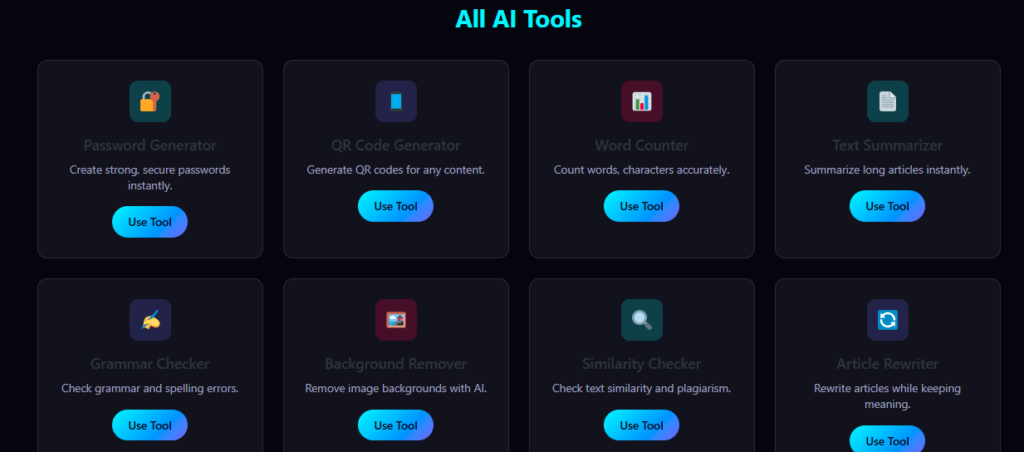
Integrating clean, local scripts like a dedicated Password Generator or an automated tax layout sheet completely removes these transmission bugs. When you utilize local in-browser processing fields, you get instant mathematical accuracy without worrying about background data leaks.
It keeps your digital workflow light, safe, and unblocked. This systematic approach ensures your workspace stays highly secure and reliable throughout your entire browsing journey.
Step-by-Step Guide on How to Verify if Free Online Tools Are Safe
You do not need costly security software or advanced coding skills to check the safety parameters of an online utility. You can easily test and secure your digital dashboard by implementing these four practical steps:
Step 1: Check the Alternative Text Matrix and Privacy Page Labels
Before pasting any data, scroll straight down to the very bottom of the webpage layout to verify their legal disclosures. A genuine platform will always feature a dedicated privacy statement explaining exactly how they handle your data and confirming that they do not track your entries.
If a website completely hides its privacy rules or uses confusing text configurations, close the tab right away.
[H3] Step 2: Look for In-Browser Local Script Processing Signatures
Open your web configuration options or read the tool description carefully to see if the script runs locally. Tools that function entirely in your browser cache will continue to give you results even if you temporarily turn off your internet connection after loading the page.
This simple offline test is an excellent way to confirm that your files are staying safe inside your own hardware device.
Step 3: Run Your Visual Files Through a Secure Verification Loop
When using media transformation utilities like an online video shrinker or a photo format checker, ensure the site gives you a direct file download. Avoid portals that force you to enter an email address just to receive your finished document link.
Forcing email registrations is a common strategy used by data brokers to build marketing lists and track your habits across different networks.
Step 4: Isolate Your High-Value Accounts with Distinct Random Keys
If you regularly use public web utilities for quick calculations or data splits, make sure your primary email and banking profiles use unbreakable passwords. Avoid using the same basic phrase across your tools and your financial accounts, as a single weak portal can trigger a cascading network breach.
Run your login setups through an automated generation script to build highly complex, distinct keys that keep your backend assets secure.
Common Operational Traps and Script Flaws to Avoid
The biggest disconnect usually happens when writers and creators trust automated bulk-spinning tools or file-conversion packages completely blindly. Many platforms offer free software downloads disguised as simple web converters, forcing you to install an
.exe or .apk file onto your local device.These installations often contain hidden adware wrappers that run in your computer’s background, draining your battery and tracking your local browser history. Always stick to pure, lightweight browser-based scripts that require zero local system installation to protect your hardware performance.
Another massive mistake is running complex currency transformations or financial adjustments using unverified, static calculation tools found on public forums. Global trading yields, market values, and tax rules alter rapidly, meaning outdated code structures can output incorrect balances in your business reporting.
Always opt for active, live market scripts like an online Currency Converter or an updated GST Calculator to protect your ledgers from manual calculation mistakes. Using active, verified code structures ensures your calculations stay completely compliant with modern industry metrics.
To study the formal administrative benchmarks regarding network data isolation, cloud encryption protocols, and user device protection layers, you can explore the technical guidelines inside the NIST Cybersecurity Resource Center.
Explore More Utilities on Tanveer AI Tools
If you want to speed up your everyday business calculations and keep your digital content creation completely unblocked, make sure to explore our other free assistants:
- Use our main Online Calculators directory hub to access our automated interest, EMI, and tax tools.
- Open our Thumbnail Generator tool page to design eye-catching graphic layouts for your online channels.
- Try our Unit Converter to fluidly switch between length, weight, and temperature tracks in a single click.
Frequently Asked Questions (FAQs) About Free Web Utilities
Are free online tools safe if I don’t create a user profile?
Yes, tools that operate with a zero-registration policy are generally far safer because they do not collect your name, email handle, or contact credentials. This framework removes invasive login walls, protects your dashboard from tracking loops, and ensures your personal identity remains fully anonymous.
How do free calculation websites make money if they don’t charge a fee?
Most reputable free utility platforms monetize their traffic by displaying programmatic ad units managed by Google AdSense. This ad-based business model allows the site developer to cover server hosting infrastructure costs while keeping the scripts 100% free and accessible for global users.
Can using a web-based layout checker infect my phone with malware?
Pure browser-based scripts that execute inside standard HTML and JavaScript structures cannot infect your smartphone. Malware risks only enter your system if you click on sketchy pop-up download buttons that prompt you to install third-party applications or browser extensions.
Do online data adjusters store the text files or images I paste?
Never on local-processing platforms. Your writing privacy and creative assets are completely secure when utilizing local browser utilities. All file conversions and data transformations execute inside your temporary browser cache and wipe out completely the exact split-second you close the tab.
Is it safe to use a web converter for corporate financial ledgers?
No, you should never upload highly sensitive corporate secrets, banking passwords, or private tax documents into unverified web applications. For critical financial planning, always cross-verify your metrics using offline spreadsheets or local, sandboxed calculator platforms.
Final Thoughts on Protecting Your Digital Footprint
At the end of the day, managing your online safety is all about building clean browsing habits and understanding where your data actually lives. You do not need to drop your daily productivity or stress over expensive software subscriptions just to stay secure online.
Moving your daily routines to automated, clean code blocks keeps your calculations accurate, lightweight, and modern. Keep your data short, protect your visual contrast lines, and utilize lightweight browser engines to complete your tasks with total confidence